
What Your CRM Should Be Doing for You in 2027

Remember when a Customer Relationship Management (CRM) system was little more than a digital address book? Sales teams manually logged calls, updated spreadsheets, and chased reminders just to keep customer records organised. Those days are changing. As businesses move towards 2027, CRM is evolving from a system that simply stores customer information into an intelligent platform that helps teams automate tasks, anticipate customer needs, and make better decisions. With the rise of artificial intelligence (AI), businesses can do more than track customer interactions. They can use customer data to identify opportunities, personalise experiences, and improve operational efficiency. The question is no longer whether your CRM can store customer information. It is whether it can actively help your business grow. Here are the key capabilities to look for in a CRM system in 2027. 1. Automate Workflows with AI Agents AI in CRM is moving beyond writing emails and generating meeting summaries. The next evolution is AI agents that can perform multi-step tasks with minimal human intervention. Unlike traditional automation, which follows predefined rules, AI agents can interpret information, recommend actions, and execute workflows within defined permissions. For example, when a new lead enters your CRM, an AI agent could assess their details, assign a lead score, recommend a sales representative, and prepare a personalised follow-up. It could also flag stalled opportunities and suggest the next action to move a deal forward. These capabilities help reduce repetitive administrative work, allowing sales teams to focus on building relationships and closing deals. However, AI agents should operate with appropriate permissions, human oversight, and clear approval processes, particularly when handling sensitive customer information or making important business decisions. What to look for: A CRM that supports intelligent workflow automation, AI-powered lead qualification, and multi-step task execution, while allowing your team to maintain control. 2. Turn Customer Data into Predictive Insights Traditional CRM reporting tells you what has already happened. Predictive analytics helps you understand what might happen next. By analysing historical sales data, customer behaviour, and engagement patterns, an AI-powered CRM can help businesses identify promising leads, recognise potential customer churn, and improve sales forecasting. For example, a prospect who frequently engages with your content or requests product information may demonstrate stronger buying intent than someone who has not interacted with your brand. Similarly, declining engagement or changes in purchasing behaviour could indicate that an existing customer needs attention. These insights allow teams to prioritise their efforts instead of relying entirely on intuition. CRM Capability How It Helps Your Business Predictive lead scoring Identifies prospects who may be more likely to convert Churn prediction Flags customers who may need additional support Sales forecasting Helps estimate future revenue and identify pipeline gaps Customer behaviour analysis Reveals patterns that can inform sales and marketing decisions Table 1 showcase how crm helps your business Predictive insights are only as reliable as the data behind them, so maintaining accurate customer records remains essential. What to look for: A CRM that turns customer data into actionable recommendations, rather than simply presenting performance dashboards. 3. Deliver More Personalised Customer Experiences Customers expect relevant communication, not generic messages that overlook their interests and previous interactions. A modern CRM should help businesses personalise customer experiences using purchase history, preferences, engagement, and other relevant behavioural signals. Imagine a prospect comparing different service packages on your website. With the right integrations and consent settings, your CRM could trigger a relevant follow-up containing a comparison guide, case study, or invitation to book a consultation. For existing customers, the same approach could support personalised product recommendations, renewal reminders, and timely offers based on their needs. The goal is to deliver the right message through the right channel at the right time, without overwhelming customers with unnecessary communication. What to look for: Customer segmentation, behavioural triggers, marketing automation, and personalisation features that respect customer preferences and consent. 4. Unify Every Customer Interaction Customers may discover your business through your website, enquire via WhatsApp, receive a quotation by email, and later contact customer support. They expect a consistent experience regardless of the channel they use. When customer information is scattered across disconnected platforms, teams can struggle to understand the full customer journey. Sales representatives may miss previous conversations, while support teams may lack visibility into outstanding deals. A connected CRM brings these interactions into a unified customer view, making it easier for teams to access relevant information and provide consistent service. This is particularly valuable for businesses managing multiple communication channels, as it reduces information gaps and prevents customers from having to repeat themselves. What to look for: Integrations with email, WhatsApp, phone systems, customer support platforms, and other channels your business relies on. 5. Integrate Easily with Your Existing Business Tools Your CRM should work with your business, not force your business to work around it. Most companies rely on multiple tools for accounting, project management, marketing, e-commerce, and customer service. Without effective integrations, employees may need to enter the same information repeatedly or switch between platforms to complete routine tasks. A well-connected CRM allows these systems to exchange information and automate processes. For instance, when a deal is closed, the CRM could trigger customer onboarding, notify the relevant department, and pass the necessary information to your accounting or project management software. Flexible integrations also make it easier to expand your technology stack as your business grows, without becoming overly dependent on a single provider. What to look for: Reliable APIs, ready-made integrations, and flexible automation options that support your existing workflows. 6. Prioritise Data Quality, Privacy, and Security AI-powered CRM features depend on accurate, reliable customer information. Duplicate records, outdated contact details, and inconsistent data can lead to poor recommendations and ineffective automation. A future-ready CRM should help maintain clean data through validation rules, duplicate detection, and automated data capture. It should also provide appropriate access controls, activity logs, and safeguards for customer information. For businesses in Malaysia, CRM selection should also take applicable personal data protection obligations into account, including the Personal Data Protection
Short Videos, Big Results: How to Create Ads That Click
If you run a business, you’ve probably asked yourself some version of this question: “I’m spending money on marketing. Why isn’t it bringing in more customers?” You’re not alone. Rising ad costs, shrinking attention spans, and a flood of competitors make it harder than ever to get noticed. But there’s one format that’s helping businesses of all sizes cut through the noise: short video ads. This guide explains what they are, why they work, and how to use them to hit real business goals. What Are Short Video Ads, Exactly? Short video ads are quick, punchy clips, usually between 6 and 60 seconds, that promote a product, service, or brand. You’ll see them on TikTok, Instagram Reels, YouTube Shorts, Facebook, and Snapchat. Think of them as a billboard that moves and talks, except it appears right in your customer’s pocket, at the exact moment they’re already paying attention. What Businesses Usually Struggle With Before getting into videos, let’s look at what most businesses are up against. Marketing frustrations tend to be surprisingly similar across industries, no matter if you’re running cafés or online stores to service companies. Every business is indeed different, but the marketing frustrations are often the same. Here are the pain points that come up again and again, and the goals behind them. The Most Common Business Pain Points The Goals Behind Those Pain Points Underneath the frustration, most businesses want the same handful of things: Here’s how short video ads speak directly to those problems: Business Pain Point What It Looks Like How Short Video Ads Help Low visibility Customers don’t know you exist Platforms actively push short videos, so even small brands can reach new audiences Low trust People hesitate to buy from an unknown business Real faces and real results build trust quickly High ad costs Budget disappears with few sales Short videos are cheap to produce and easy to test and improve Unclear results Reports full of numbers you don’t understand Clicks, leads, and sales are trackable down to the dollar No time or team Marketing keeps getting pushed aside One phone, one idea, 15 seconds. No big production needed Why Do Short Video Ads Work So Well? The short answer: people are busy, and their attention is limited. Most of us decide within the first two or three seconds whether to keep watching or scroll away. Short videos respect that reality. They get to the point fast, and that’s exactly what modern customers want. Key Terms, Explained From a Business Point of View Marketing has a lot of jargon. Here are the terms you’ll hear most often, translated into what they mean for your bottom line: Term What It Means Impressions How many times your ad was shown Reach How many different people saw your ad CTR (Click-Through Rate) The percentage of viewers who clicked your ad CTA (Call to Action) The instruction you give viewers, like “Shop Now” Conversion When a viewer takes the action you wanted, like buying or booking CPC (Cost Per Click) What you pay each time someone clicks CPA (Cost Per Acquisition) What it costs to win one new customer ROAS (Return on Ad Spend) How much revenue you earn for every dollar spent on ads Hook The first 1–3 seconds designed to grab attention If you only remember two, make them CPA and ROAS. They tell you whether your ads are actually making you money. The Anatomy of an Ad That Clicks Great short video ads follow a simple formula. You don’t have to be a creative genius to use it. Step 1: Start with a Hook The first 3 seconds decide everything You have about three seconds. Open with something surprising, relatable, or curious. A bakery might start with: “This is why your homemade bread never rises.” Suddenly, every home baker is listening. Step 2: Deliver One Clear Message One ad, one idea Don’t try to say everything. If you sell dog treats, don’t talk about your company history, your five flavors, and your shipping policy all at once. Just show a happy dog going wild for one treat. Step 3: Show, Don’t Tell Proof beats promises Video is visual, so use it. A cleaning company shouldn’t just claim it removes tough stains. It should show a filthy pan turning spotless in seconds. Step 4: Add Captions Most people watch with the sound off On-screen text ensures your message lands even in a quiet waiting room or on a crowded train. If the video only makes sense with sound, many viewers will miss the point. Step 5: End with a Clear Call to Action Tell viewers what to do next Tell people exactly what to do: “Tap to order today,” “Book your free consultation,” or “Grab yours before Friday.” If you don’t ask, most people won’t act. Real Business Examples These are illustrative scenarios showing how different businesses can use short video ads to solve their own challenges. 🍽️ The Local Restaurant Goal: fill more tables. A restaurant owner is struggling with quiet weekday evenings. She posts a 15-second clip of a sizzling dish being plated, with the text “Tuesday special: 2 mains for the price of 1,” and runs it to people living within a few kilometers. The ad reaches hungry locals right when they’re deciding where to eat, and she can see exactly how many people came in because of it. 🛍️ The Online Store Goal: lower cost per sale. A boutique owner is tired of paying for clicks that never turn into orders. She switches from static photos to a 20-second video showing one jacket styled three ways. Viewers see the product in action, their questions get answered before they ask, and more of the people who click actually buy. Her cost per sale drops because the right people are clicking. 📊 The Service Company Goal: generate quality leads. An accounting firm wants more small-business clients but hates “salesy” ads. The partners film a 30-second video: “3 tax mistakes small business
Newsletter Marketing in 2027: Is It Still Relevant?
Newsletter Marketing in 2027: Is It Still Relevant? Many marketers assume that the rapid rise of artificial intelligence and instant messaging platforms has rendered traditional email obsolete. This misconception often stems from viewing email strictly as a channel for outdated, promotional mass broadcasts that clutter user inboxes. However, the reality of audience engagement has shifted dramatically, making direct communication channels more valuable than ever before. As zero-click searches dominate search engine results pages and social media algorithms become increasingly volatile, owning your audience is a critical defensive strategy. 58.5% of Google searches end with zero clicks 80/20 ideal ratio of educational to promotional content The core premise of modern inbox engagement revolves around a massive shift from generic sales blasts to highly curated, high-value editorial content. Users are actively seeking out specialized knowledge that cuts through the noise of automated, low-effort web content. By transforming your email strategy into a robust editorial engine, you create a direct line to your most engaged prospects without relying on third-party platforms. This evolution ensures that your messaging consistently reaches the right audience, fostering deep brand loyalty and long-term business growth. Are Newsletters Still Relevant in 2027? The direct answer for business owners and marketing executives is a resounding yes; email remains one of the most relevant and high-converting channels available. Algorithm fatigue is driving users away from endless social media scrolling and toward curated, opt-in content delivery systems where they control the narrative. Professionals actively want to consume highly specific, actionable insights delivered straight to their personal workspace without algorithmic interference. The ongoing evolution of AI search vs. traditional search means that depending solely on organic traffic is increasingly risky, making direct audience ownership a strategic necessity. Shifting demographics also support the continued dominance of email, particularly when looking at younger consumer bases. While it is often assumed that Gen Z prefers short-form video exclusively, data shows they highly value authenticity, niche curation, and deep-dive content delivered via newsletters. They are actively subscribing to independent creators and specialized B2B brands that offer genuine value rather than corporate jargon. This demographic appreciates the focused, distraction-free environment of an inbox when the content aligns with their specific professional or personal interests. Furthermore, the strategic advantage of owning first-party data in a privacy-first web environment cannot be overstated. With the deprecation of third-party cookies and stricter data privacy regulations globally, your email subscriber list is one of the few assets you truly control. Cultivating a dedicated newsletter audience allows you to gather explicit zero-party and first-party data directly from your users. This data empowers you to refine your product offerings, personalize user experiences, and maintain a resilient marketing ecosystem regardless of external platform changes. What is Newsletter Marketing and Why It Matters for CRM Newsletter marketing within the context of modern customer relationship management (CRM) is the strategic process of consistently delivering targeted, value-driven content to an opted-in audience. It moves far beyond the traditional approach of sending batch-and-blast promotional emails that simply announce sales or new features. Instead, it functions as a sophisticated nurturing tool designed to build trust, establish authority, and keep your brand top-of-mind. By integrating this strategy deeply with your CRM, you can track user engagement over time and trigger highly relevant communications based on specific behavioral data. Read Also: Mastering Search Intent for Content Strategy Consistent, informational communication plays a pivotal role in nurturing leads from top-of-funnel awareness down to bottom-of-funnel conversion. When prospects first discover your brand, they require educational resources that address their pain points without immediate pressure to purchase. A well-structured newsletter gently guides these users through the buyer journey by providing actionable solutions and demonstrating industry expertise. Over time, this consistent delivery of value significantly lowers the barrier to entry when the prospect is finally ready to engage with your sales team. Beyond initial acquisition, newsletter marketing is a vital mechanism for reducing customer churn and increasing overall lifetime value (LTV). Existing customers benefit immensely from ongoing education, product use-case highlights, and industry best practices delivered directly to their inbox. This continuous engagement ensures that users maximize the value of your product or service, making them less likely to migrate to competitors. Ultimately, a strong CRM-backed newsletter strategy transforms passive buyers into vocal brand advocates. 5 Essential Elements of an Effective Newsletter Creating a newsletter that consistently avoids the spam folder and drives genuine business results requires strict adherence to specific structural and content principles. Focusing on these foundational components is essential for building website trust and ensuring high deliverability across major email clients. 1: Informational, Not Sales-Driven Content Master the 80/20 Rule The most successful newsletters strictly adhere to the 80/20 rule, ensuring that 80% of the content is purely educational and resource-driven, while only 20% is promotional. Readers subscribe to solve their own problems, not to read your sales pitch. By prioritizing actionable advice and industry insights, you train your audience to open your emails consistently. 2: Hyper-Personalization and Segmentation Leverage CRM Data Generic broadcasts are no longer effective; modern audiences expect content tailored to their specific needs and industry verticals. Utilizing your CRM data allows you to segment your audience based on behavioral triggers, past purchases, or specific use cases. This hyper-personalization significantly increases engagement rates because the content speaks directly to the subscriber’s immediate challenges. 3: Clear Value Proposition and Resources Offer Exclusive Assets Every single email must clearly articulate why it deserves the reader’s time by providing tangible, immediate value. Including exclusive resources such as downloadable templates, strategic playbooks, or proprietary data insights makes your newsletter indispensable. When subscribers know they will receive tools they cannot easily find elsewhere, your retention rates will naturally soar. 4: Community and Customer Spotlights Build Authentic Trust Integrating community voices into your content strategy breaks up the corporate monotony and builds authentic social proof. Featuring successful partners, highlighting customer case studies, or celebrating community milestones demonstrates that real people are achieving success with your brand. This peer-to-peer validation is often much more persuasive than traditional
How to Optimize WordPress Based on Google PageSpeed Insights
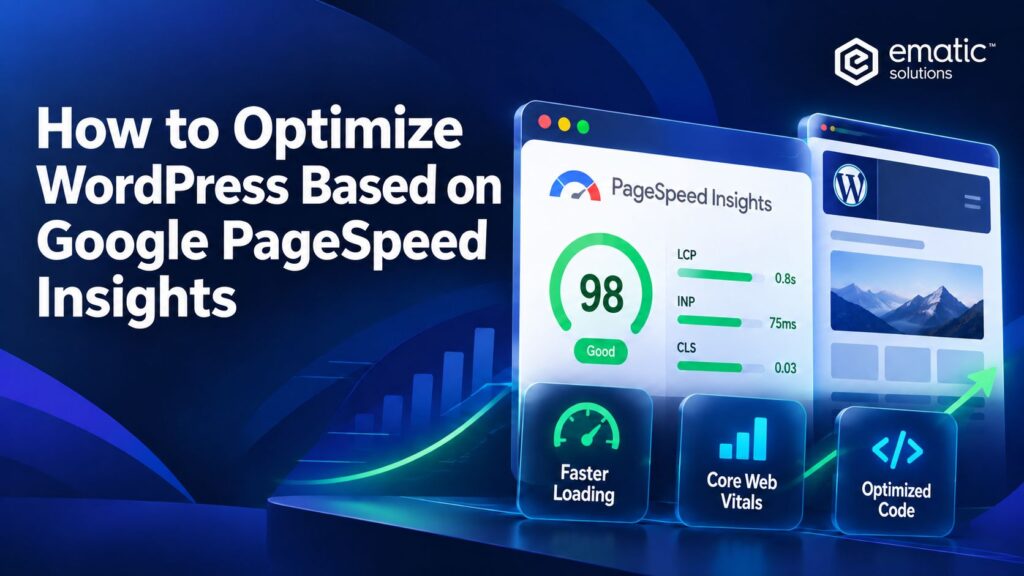
A Google PageSpeed Insights (PSI) report can show that a page has a slow server response, poor Largest Contentful Paint (LCP) or excessive main-thread work. However, it cannot tell you which WordPress component is responsible or whether a suggested change is safe for the website. At Ematic Solutions, we treat the PSI report as the starting point to optimize WordPress, rather than the solution itself. Our approach connects the weakest performance metrics to their likely technical causes, identifies the responsible layer, implements controlled improvements and verifies that performance gains are achieved without compromising the website’s design or functionality. This section summarizes the key points covered in this article. 1. Trace PSI warnings to their root causes PSI audits the HTML, CSS, JavaScript, media and network responses delivered to the browser. It has no direct knowledge of the WordPress theme, plugin settings, database queries, cache configuration or CDN rules that produced those resources. For example, a render-blocking request could come from the theme, Elementor, a plugin widget, a consent platform or custom code. High Time to First Byte could originate from hosting capacity, uncached page generation, slow database queries, redirect handling or a CDN cache miss. Installing another optimization plugin before identifying the layer can add complexity without solving the original bottleneck. The most reliable process follows a consistent chain: Metric => Likely Cause => Responsible Layer => Controlled Change => Validation. A PSI assessment should lead to root-cause investigation, controlled testing and continued monitoring. Read more: Google PageSpeed Insights: What’s Is That? 2. Prioritize the findings before changing WordPress Review the report in this order: A repeated LCP problem on a high-traffic product template usually deserves more attention than a minor image-saving recommendation on a rarely visited page. Performance work should follow user and business impact rather than the number of red warnings in the report. 3. Connect PSI signals to the responsible technical layer The relationships are many-to-many: one metric can be affected by several layers, and one layer can influence several metrics. Use the following matrix as a starting hypothesis, not an automatic diagnosis. PSI signal Likely WordPress or delivery layers First checks High TTFB Hosting, WordPress execution, database, page cache, CDN Initial document timing, cache status, redirects and server processing Poor FCP / Speed Index Server response, CSS, fonts, theme and page builder Render-blocking requests, critical resources and above-the-fold complexity Poor LCP TTFB, hero media, CSS, fonts and resource priority LCP element, discovery delay, load time and render delay High TBT Plugins, page builder, JavaScript and third parties Long tasks, unused JavaScript, execution time and duplicate libraries Poor INP Event handlers, DOM complexity and main-thread work Slow real interactions, post-load tasks and interactive widgets Poor CLS Media sizing, fonts and dynamic components Missing dimensions, injected content and unstable containers 3.1. High TTFB: investigate the delivery chain Time to First Byte (TTFB) measures how long the browser waits before the initial response begins to arrive. In WordPress, high TTFB can delay every later loading milestone, including FCP and LCP. What to investigate Typical WordPress actions The process for diagnosing high TTFB in WordPress, from CDN/cache and server/PHP to the database. Performance bottlenecks can occur at different layers, so the slowest layer should be identified and optimized first. 3.2. Poor FCP or Speed Index: review the critical rendering path Poor First Contentful Paint or Speed Index often means that the browser is waiting too long to display meaningful above-the-fold content. The delay may begin with TTFB, but it can also be caused by theme CSS, page-builder styles, custom fonts or scripts that block rendering. What to investigate Typical WordPress actions 3.3. Poor LCP: identify the element and the slow phase Before optimizing Largest Contentful Paint, identify the actual LCP element. It may be a hero image, product image, heading, background image, banner or text block that depends on a custom font. Then separate the delay into four phases: TTFB, resource load delay, resource load time and render delay. This prevents the common mistake of compressing an image when the real problem is late discovery, JavaScript rendering or slow HTML delivery. What to investigate Typical WordPress actions Effective LCP optimization requires identifying and improving the slow phase rather than focusing only on image compression. 3.4. High TBT or poor responsiveness: reduce main-thread work Total Blocking Time (TBT) is a Lighthouse lab metric that measures blocking work during page load. INP is a field metric that evaluates the latency of real user interactions. They can point toward related JavaScript and main-thread problems, but TBT is not a direct replacement for INP. What to investigate Typical WordPress actions Removing unused JavaScript, delaying non-critical scripts and reducing main-thread work can help improve TBT, INP and overall page responsiveness. 3.5. Poor CLS: reserve space before content arrives Cumulative Layout Shift (CLS) becomes poor when visible content moves unexpectedly. WordPress sites commonly introduce shifts through media without dimensions, font replacement, cookie banners, sticky headers, sliders and content inserted after the initial render. What to investigate Typical WordPress actions 4. Prioritize changes by impact and risk Group potential changes before implementation: Dependencies matter. Improving TTFB may improve FCP and LCP without any image change. Removing unnecessary JavaScript may improve both TBT and LCP render delay. Solve upstream bottlenecks before applying several downstream workarounds. 5. Implement and test one change at a time Optimization is easier to validate and reverse when each change has a clear hypothesis. Use a controlled workflow: Avoid activating several optimizations together. If performance improves but a feature breaks, or if the score falls, simultaneous changes make the responsible configuration difficult to identify. 6. Validate more than the Performance score A successful optimization should preserve: A higher score is not a successful outcome if it disables revenue tracking, prevents a form submission or breaks a mobile menu. Performance and functionality must be validated together. 7. What PageSpeed score should you realistically aim for? Google PageSpeed Insights classifies Performance scores into three ranges: While a score above 90 is an excellent target, achieving
How to Read Google PageSpeed Insights for WordPress
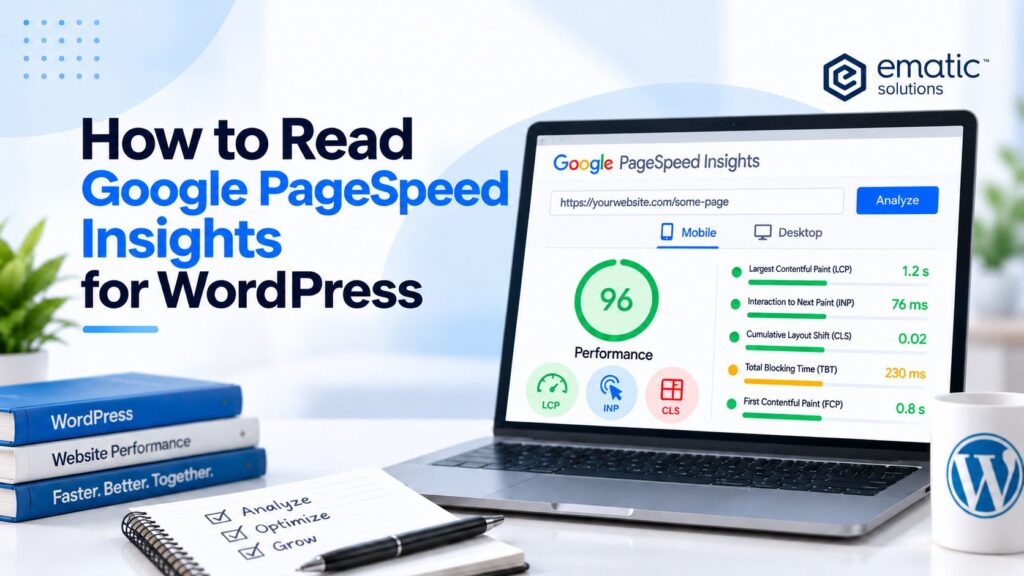
A Google PageSpeed Insights report for your WordPress website contains far more than a single Performance score, it combines real-user field data with a controlled Lighthouse lab test, and reading it correctly is the first step before touching any theme, plugin or hosting setting. In this Ematic Solutions guide, we break down what each part of the report means and how to build a reliable testing baseline. This section summarizes the key points covered in this article. 1. What does Google PageSpeed Insights measure? Google PageSpeed Insights evaluates an individual webpage on mobile and desktop. After a complete URL is submitted, the report can provide: One limitation is especially important: PSI analyzes the submitted URL, not every page on the website. A homepage, product page, store locator, article and contact form can use different templates, plugins and scripts and therefore produce different results. PSI also evaluates the page output rather than the WordPress configuration behind it. It can reveal symptoms such as a slow server response or excessive JavaScript, but it cannot automatically determine whether the cause is a plugin, database query, cache layer, CDN rule or third-party service. The PSI report separates real-user experience data from Lighthouse lab diagnostics. Read more: Google PageSpeed Insights: What’s Is That? Read more: How to Optimize WordPress Based on Google PageSpeed Insights 2. Understanding the two parts of a PSI report PageSpeed Insights combines field data from real users with lab data from a simulated test. Neither dataset replaces the other because each answers a different question. Field data Lab data What did eligible real visitors experience? What happened during this simulated test? Uses Chrome User Experience Report data Uses a Lighthouse test run Represents a trailing 28-day window Represents one point-in-time run Includes varied devices, networks and cache states Uses controlled device and network conditions Useful for monitoring real-user outcomes Useful for diagnosing technical bottlenecks May be available at URL or Origin level Tests only the submitted URL 2.1. Field data: what real users experienced Field data is supplied by the Chrome User Experience Report (CrUX). PSI updates this dataset daily using a trailing 28-day collection period. It is historical rather than real-time, so an optimization deployed today may take time to become fully visible in the report. The field section reports the current Core Web Vitals: It also reports supporting metrics such as First Contentful Paint (FCP) and Time to First Byte (TTFB). The Core Web Vitals assessment uses the 75th percentile of eligible experiences. In general, all applicable Core Web Vitals must be within the Good range for the assessment to pass. PSI field data summarizes eligible Chrome user experiences over a trailing 28-day window. 2.2. What do ‘This URL’ and ‘Origin’ mean? PSI requires enough eligible real-user samples before it can report page-level data. When sufficient data exists, the report can display This URL, representing experiences associated with the specific page being evaluated. If page-level data is unavailable, PSI may fall back to Origin data. This aggregates eligible experiences across pages on the same origin. Origin results can show a general website trend, but they may not represent the submitted template accurately. A fast homepage, for example, can mask a slow product template in Origin-level data. If neither the URL nor the Origin has enough eligible data, the field-data section will show no assessment. This does not mean the page is fast or problem-free; it only means CrUX cannot provide a representative dataset. URL-level data describes one page, while Origin data aggregates eligible experiences across the same origin. 2.3. Lab data: a controlled Lighthouse test The lab section is generated by Lighthouse. It loads the submitted page under simulated device and network conditions and produces a Performance score with individual metrics, Insights and Diagnostics. Lab results can expose issues such as: Since Lighthouse represents one controlled run, it is most useful for repeatable diagnosis and development testing. A single run should not be treated as the site’s permanent performance level. 2.4. Why field and lab results may be different A page can score well in Lighthouse while still failing its real-user Core Web Vitals assessment. The opposite can also occur. The apparent contradiction usually reflects different users, time periods and test conditions rather than an error in PSI. Real visitors may use older devices, unstable networks and different cache states. They may interact with menus, cookie banners, filters, forms and pop-ups that a basic page-load test does not reproduce. Field data also includes variations accumulated over 28 days, while one Lighthouse run captures only its immediate environment. Lab results can also fluctuate because of: For this reason, field data should be used to understand real-user trends, while lab data should be used to investigate the technical conditions that may be producing those trends. 3. How to interpret the Lighthouse Performance score The Lighthouse Performance score uses three ranges: 90-100 is Good, 50-89 Needs Improvement and 0-49 is Poor. The score is a weighted calculation rather than a simple count of passed and failed audits. Lighthouse metric Current score weight Total Blocking Time (TBT) 30% Largest Contentful Paint (LCP) 25% Cumulative Layout Shift (CLS) 25% First Contentful Paint (FCP) 10% Speed Index 10% Only the scored metrics contribute directly to the Performance score. The Lighthouse scoring guidance explains that Insights and Diagnostics affect the score only indirectly when they improve one or more metrics. Lighthouse 13 consolidated many older Opportunity audits into the current Insights format without changing the performance-scoring model. A score of 100 should not be treated as the only acceptable result. Near-perfect scores require progressively larger metric improvements, and a website must still preserve its design, functionality, analytics and business requirements. 4. How to test a WordPress website correctly A meaningful assessment should include representative page templates instead of only the homepage. Depending on the website, the sample may include: For each selected URL: Testing normally begins with Mobile because it represents a more restrictive device and network profile. Desktop should still be assessed independently because
Ecommerce SEO: 7 Trends Dominating Online Stores in 2027
Ecommerce SEO: 7 Trends Dominating Online Stores in 2027 Many retail executives still operate under the dangerous assumption that optimizing an online store merely requires stuffing category pages and product descriptions with high-volume keywords. This outdated methodology actively harms revenue generation as search engine algorithms have evolved far beyond basic lexical matching. Modern algorithms operate on semantic, entity-based understanding, meaning they map the intricate relationships between products, brands, and user intent rather than just counting words on a page. The imminent transition toward AI-generated search experiences completely redefines organic product discovery, forcing brands to adapt their technical foundations or face immediate obsolescence. Why Ecommerce SEO is Shifting Dramatically by 2027 The traditional approach to driving organic traffic relied heavily on capturing users who were willing to click through multiple pages of search results to find the perfect product. Today, search engines are designed to provide immediate resolutions, keeping users within the search ecosystem for as long as possible. This shift means that your product data, brand authority, and technical architecture must be flawless enough for an AI to confidently recommend your store without requiring a manual website visit. Consequently, the focus has moved from merely ranking blue links to becoming the definitive, trusted entity that powers the search engine’s own generative answers. Core Trends Redefining Product Discovery The landscape of organic product discovery is undergoing a massive transformation that will fully solidify by the end of 2027. Retailers can no longer rely on reactive tactics; they must proactively adapt their technical architecture and content strategies to align with machine learning advancements. Understanding and implementing these major shifts is the only way to maintain a competitive edge in an increasingly saturated digital marketplace. 01: AI Overviews and Zero-Click Commerce Capturing Top-of-Funnel Traffic Search Generative Experience (SGE) and AI Overviews are fundamentally altering the SERP landscape by summarizing product features, aggregating reviews, and comparing prices directly within the search interface. Users no longer need to click through multiple websites to research a purchase, creating a frictionless zero-click commerce environment that threatens traditional traffic metrics. To survive this shift, organizations must ruthlessly optimize their product data feeds and ensure absolute accuracy across all inventory listings. Providing rich, structured data guarantees that your catalog is seamlessly ingested and favored by AI-generated comparison tables, capturing top-of-funnel traffic before a traditional link is even clicked. Read Also: Zero-Click Searches & AI Overviews Impact 82% of shoppers utilize search engines for pre-purchase research 58.5% of Google searches currently end with zero clicks 02: Conversational SEO and Voice-Activated Shopping Answering Natural Queries Modern shoppers are abandoning fragmented keyword searches in favor of complex, multi-turn conversational queries that demand highly specific, context-aware answers. A user is now much more likely to ask a mobile assistant to “Find a waterproof running shoe under $100 for flat feet” rather than typing a generic phrase like “cheap running shoes.” Structuring your FAQ sections and product descriptions to directly answer these natural language questions is absolutely critical for capturing this highly qualified traffic. We recently observed this impact firsthand during a client audit, where implementing conversational Q&A formats on flagship product pages increased organic visibility by 35% within two quarters. 03: Visual Search as the Primary Discovery Engine Optimizing for Google Lens Visual search is rapidly bridging the gap between offline inspiration and online purchasing, with tools like Google Lens serving as a primary discovery engine for modern consumers. Shoppers can now snap a photo of a jacket they see on the street and instantly find the exact item or visually similar alternatives across various online stores. Capitalizing on this trend requires strict adherence to high-resolution image optimization, ensuring all visual assets load quickly without compromising clarity. Furthermore, utilizing descriptive alt text and manipulating EXIF data to include relevant product metadata provides search engine crawlers with the vital context needed to rank your images. 04: Hyper-Personalization and Behavioral Ranking Tailoring the Shopping Experience Search engines are increasingly moving away from standardized results, opting instead to tailor SERPs based on individual user behavior, geolocation, and past purchase history. Two users searching for the exact same product category may see entirely different rankings based on their unique digital footprints and established brand affinities. This hyper-personalization demands the implementation of dynamic content and localized SEO strategies to capture hyper-specific search intent effectively. Online stores must leverage sophisticated customer data platforms to ensure their on-site search and category merchandising reflect the personalized expectations set by modern search engines. 05: E-E-A-T as a Non-Negotiable Trust Signal Proving Real-World Experience In the context of transaction-heavy websites, E-E-A-T (Experience, Expertise, Authoritativeness, Trustworthiness) is the foundational metric determining your organic viability. Recent updates to Google’s Search Generative Experience (SGE) documentation explicitly highlight the heightened scrutiny applied to transactional queries, demanding undeniable proof of legitimacy through real-world product testing. Algorithmic trust signals such as mandatory HTTPS protocols, secure checkout trust badges, and highly transparent shipping policies are absolute necessities for survival. Furthermore, integrating verified customer reviews alongside detailed author bios for buying guides solidifies your store as a safe, authoritative destination that AI engines feel confident recommending. Read Also: E-E-A-T Explained: Building Website Trust 06: Technical SEO for Bot Crawlability Mastering AEO and GEO The technical foundation of your online store must evolve to support Answer Engine Optimization (AEO) and Generative Engine Optimization (GEO) as AI bots become the primary crawlers. Traditional SEO tactics are entirely insufficient without advanced structured data markup; you must implement specific Schema.org properties such as Product, Offer, and AggregateRating flawlessly. Integrating this markup directly with Google Merchant Center guidelines ensures your inventory status, pricing, and reviews are instantly readable by generative engines. Additionally, maintaining flawless Core Web Vitals, prioritizing mobile-first indexing, and achieving rapid page speed remain critical prerequisites for seamless bot crawling and indexing. Read Also: Unlock Your SEO Potential: Structured Data Markup 💡 Pro Tip Ematic:Always validate your Schema.org implementation using Google’s Rich Results Test tool before pushing changes live, as a single syntax error can prevent your products from appearing in AI Overviews
How Structured Data Helps AI Understand Your Website
Artificial intelligence is transforming how people search for information online. Instead of simply matching keywords, AI-powered search engines now interpret context, relationships, and user intent to deliver more accurate answers. As AI search continues to evolve through platforms like Google’s AI Overview, ChatGPT, Perplexity and other AI assistants, websites need to provide information in a format that machines can easily understand. This is where structured data becomes increasingly important. By adding structured data to your website, you help AI systems understand what your content represents rather than forcing them to infer its meaning from plain text alone. While structured data has long been associated with improving search engine optimization (SEO), it is now becoming a critical component of AI optimization, helping search engines and AI models interpret content with greater confidence. What Is Structured Data for a Website? Structured data is a standardized format used to organize information on a webpage so that search engines and AI systems can understand it more accurately. Rather than relying solely on visible content, structured data provides explicit labels that explain what different pieces of information mean. For example, instead of simply displaying a product name, price, and customer rating as text, structured data identifies each element individually. This allows machines to recognize that one value is a product name, another is a price, and another represents customer reviews. Most websites implement structured data using Schema.org vocabulary, typically written in JSON-LD format. This structured markup acts like a translator between your website and search engines, making your content easier to interpret. Common structured data types include: Each schema type provides additional context that helps AI understand the purpose and meaning of your content. Why Is Structured Data Important for AI? Artificial intelligence relies on data to understand the world. Although AI has become much better at interpreting natural language, structured data removes much of the uncertainty by providing clear definitions about the information on your website. Without structured data, AI must analyze headings, paragraphs, images, and surrounding context to determine what a page is about. While modern AI is capable of doing this, there is still room for ambiguity, especially when similar terms have different meanings. Structured data helps AI by: For example, a product page containing a sofa could include structured data that specifies the product name, material, dimensions, color, price, availability, and customer ratings. AI no longer has to guess whether those details belong to the product or another section of the page. The clearer your information is, the more confidently AI can reference your content when generating responses. What Is Structured Data for AI Search? AI search goes beyond matching keywords. Instead, it aims to answer complex questions by combining information from multiple trusted sources. Structured data helps AI search engines quickly identify factual information and understand how different pieces of content relate to one another. Unlike traditional search engines that primarily rank webpages, AI search systems often summarize information into conversational answers. To create accurate responses, they need structured signals that confirm: Structured data supplies these signals in a machine-readable format, making it easier for AI systems to extract accurate information while reducing uncertainty. As AI-generated search experiences continue to grow, structured data provides websites with a stronger foundation for being understood and accurately represented. Does AI Use Structured or Unstructured Data? The simple answer is both. Most website content, including blog articles, product descriptions, images, and videos, is considered unstructured data because it does not follow a predefined format that machines can immediately interpret. Structured data, on the other hand, organizes specific information into clearly defined fields that computers can process efficiently. AI uses unstructured data to understand context, language, tone, and meaning. At the same time, it relies on structured data to verify facts, identify entities, and establish relationships between different pieces of information. Think of it this way: When both work together, AI gains a more complete understanding of your content. 🧠 How Structured Data Improves AI Understanding Structured data provides clearer signals that help AI systems interpret your website, identify important information, and deliver more accurate answers to users. 🔎 Helps AI Recognise Entities Structured data helps AI identify important entities such as businesses, products, authors, and locations, allowing systems to understand exactly what your content represents. 🔗 Creates Content Relationships AI can better understand how different information connects, such as a product belonging to a brand or an article being written by a specific author. ✅ Improves Information Accuracy Clear structured signals reduce ambiguity and help AI interpret important details more accurately when generating search results or answers. 🚀 Enhances Content Visibility By making content easier for AI and search engines to understand, structured data improves the chances of your website being discovered across search experiences. Types of Structured Data That Matter Most Not all structured data serves the same purpose. Different schema types provide AI systems and search engines with specific information about your website, helping them understand your content, products, services, and business details more accurately. Choosing the right structured data depends on your website type, industry, and the information you want AI systems to recognize. Some of the most valuable schema types include: 🏢 Organization Schema Organization Schema helps AI identify important details about your brand, including your company name, logo, contact information, and online presence. It allows AI systems to better understand your business identity and connect your website with the correct entity. 🛒 Product Schema Product Schema provides AI with structured details about your products, such as names, descriptions, prices, availability, images, reviews, and specifications. This helps AI understand product information more accurately and provide relevant answers for shopping searches. ✍️ Article Schema Article Schema helps AI understand informational content by identifying details such as the article title, author, publication date, topic, and publisher. It provides additional context that makes it easier for AI systems to categorize and interpret your content. 📍 Local Business Schema Local Business Schema helps AI understand location-based business information, including addresses, opening hours, contact
Is Your Brand Invisible in ChatGPT? Here’s How to Check

Picture this: a potential customer wants to buy a product or get services from a company like yours. Instead of typing a search into Google, they open ChatGPT and ask, “What’s the best [your industry] company in [your city]?” The AI gives them a confident, well-organized answer — three or four names, a short explanation of what each one does well, maybe a recommendation. Is your business one of those names? For a growing number of businesses, the honest answer is “we don’t know.” And that uncertainty is quickly becoming a real business problem. AI Search Is No Longer a Side Trend A few years ago, asking a chatbot for a recommendation was a novelty. In 2026, it’s a habit. OpenAI reported that ChatGPT crossed 900 million weekly active users by early 2026, and by June 2026, Reuters reported the app had passed 1 billion monthly active users — the fastest any app has ever reached that milestone. That kind of reach changes how people find businesses, on the consumer side and the B2B side alike. This isn’t limited to ChatGPT. Google’s AI Mode, Perplexity, Gemini, and Microsoft Copilot are all part of the same shift. For a broader look at how these platforms compare to traditional search, see our article on AI search vs. traditional search. But because ChatGPT has the largest user base and the most name recognition among everyday consumers and business buyers alike, it’s the natural place to start checking your own visibility. Why This Is Different From Ranking on Google Showing up on page one of Google and showing up in a ChatGPT answer are two different challenges. Traditional search returns a list of links and lets the user choose. AI search tools usually return a short, direct answer which are often just a handful of names, sometimes only one. There’s no “page two” to fall back on. You’re either part of that answer, or you’re not part of the conversation at all. ChatGPT also doesn’t read your site the way a search engine crawler does. It breaks pages into smaller chunks of text and pulls out whichever piece best answers the question being asked. That means a page that ranks well on Google isn’t automatically a page an AI model will quote back to a user beacuse the content itself has to be easy to lift, and the brand behind it has to be backed up by sources outside your own website. Our piece on what Google AI Mode means for search is a useful next read if you want to go deeper on this shift. How to Check Your Own AI Visibility You don’t need special tools to get a first read on where you stand. The steps below move from a quick manual check to a more complete, ongoing picture. 1: Ask ChatGPT the Way a Customer Would Test like a real customer Try prompts like “Best [your industry] company in [your city],” “Who is [your business name]?,” “[Your business] vs. [a competitor],” or “I need help with [the problem you solve] — who should I use?” Note whether your business appears, whether the details about you are accurate, and which competitors show up instead. It helps to think in terms of a small cluster of related questions rather than a single query, since AI tools tend to reward brands that show up consistently across a topic, not just one lucky phrasing. 2: See Where the Answer Is Coming From Trace the sources behind the answer When ChatGPT names a competitor and not you, ask it directly what it based that answer on. You’ll often see a mix of review platforms, industry roundups, comparison articles, and community discussions rather than a company’s own homepage. That tells you where the real opportunity is: getting included in the third-party sources ChatGPT already trusts, not just polishing your own site. 3: Repeat It — Don’t Trust One Answer One check is a snapshot, not proof AI responses can vary between sessions and models, so run the same prompts more than once, and try them on other platforms like Gemini or Perplexity too. A single result tells you very little on its own — the pattern across several checks, over several weeks, is what actually matters. 4: Track It Over Time Move from spot-check to visibility Manual checks only capture a moment in time, so ongoing tracking is what gives you a real trend line — whether you’re gaining ground on a competitor or slowly losing visibility without noticing. Our guide on AI visibility tools and how they measure content impact walks through how that kind of tracking works in practice. What Influences Whether AI Mentions You A few factors show up again and again in research on this topic: Third-party validation. An analysis by Ahrefs found that a large share of ChatGPT’s most-cited pages come from highly authoritative domains — being mentioned by trusted, independent sources carries real weight, often more than what your own website says about you. Reviews and reputation. For “best of” and comparison questions, AI tools frequently draw on platforms like G2, Trustpilot, and Capterra, weighing your rating, the recency of your reviews, and how specific features are described. Weak review coverage compared to competitors can quietly leave you out of the conversation even when your own content is solid. Clear, answer-first content. Since AI tools pull out small chunks of a page rather than reading it top to bottom, content that states the answer plainly near the top — supported by headings, short lists, and tables — tends to get lifted more often than a page that buries the point under a long introduction. See how to turn your content into a source AI recommends. Technical accessibility. Make sure your robots.txt file isn’t unintentionally blocking AI crawlers, and that key pages load quickly without depending on heavy scripts to display their content — AI bots skip over pages that are slow or hard to read. Freshness. Ahrefs’ analysis of
Brand Citation in AISEO: Dominate AI Search Visibility

Learn what brand citations are in AISEO and how entity clarity, structured data, authoritative content, and performance tracking can improve your brand’s visibility across AI-driven search platforms.
Why Some Agencies Can Guarantee Keyword Rankings

If you’ve been researching SEO services, you’ve probably come across agencies claiming they can get your website to Page 1 of Google—guaranteed. At first glance, it sounds too good to be true. After all, Google itself says nobody can guarantee a #1 ranking. So how are some agencies confidently making that promise? The truth is, not all SEO guarantees are created equal. Some are simply marketing tactics designed to win clients with unrealistic promises. Others are backed by years of experience, careful keyword research, and a proven SEO process that gives agencies confidence in what they can realistically achieve. So who’s right? The answer lies in understanding what is actually being guaranteed. In this guide, we will explain why ranking on Google is more challenging than many people think, how some agencies can responsibly offer ranking guarantees, and what you should look for before trusting any SEO promise. Why Keyword Ranking Is More Challenging Than Most People Think? Many business owners assume SEO works like a vending machine. You choose a keyword, optimise a page, wait a few weeks, and your website appears on the first page of Google. If only it were that simple. The reality is that Google’s search results are constantly changing. Every website is competing for visibility, and Google is continually refining how it decides which pages deserve to rank. That’s why SEO isn’t something you “complete.” It’s an ongoing process of improving your website while adapting to changes in search and competition. Let’s look at what makes ranking so challenging. Google Looks at Much More Than Just Keywords Years ago, simply adding keywords throughout a webpage could improve rankings. Today, that’s no longer enough. Google’s goal is to provide users with the most helpful and trustworthy answer to every search. To do that, it evaluates hundreds of signals—not just whether a keyword appears on the page. For example, Google considers things like: Google also encourages website owners to create content that demonstrates Experience, Expertise, Authoritativeness and Trustworthiness (E-E-A-T). While these aren’t direct ranking factors, they reflect the qualities Google wants to surface in search results. Following these principles helps create content that users—and search engines—can trust. The takeaway? Keywords still matter, but they’re only one piece of a much larger puzzle. Your Competitors Are Improving Their Websites Too Imagine training for a marathon. Every week you’re getting faster, but so is everyone else in the race. That’s exactly how SEO works. While you’re publishing new content, improving your website, and earning backlinks, your competitors are doing the same. Some may even be investing more heavily in SEO than you are. Google doesn’t decide rankings by looking at your website in isolation. Instead, it compares your website against every other page trying to rank for the same keyword. That’s why SEO is competitive by nature. Reaching Page 1 is an achievement—but staying there requires ongoing effort. Google Updates Its Search Systems Regularly One of the biggest challenges with SEO is that the rules don’t stay the same forever. Google continuously improves its Search systems to provide users with more relevant and helpful results. Some updates are minor and go largely unnoticed, while broader Core Updates can significantly affect rankings across many websites. This doesn’t mean good websites suddenly become bad websites. Instead, Google’s understanding of what makes content valuable evolves over time, and that’s why ethical SEO isn’t about finding loopholes or shortcuts. It’s more about following Google’s best practices, creating genuinely useful content, and continuously improving your website as search evolves. Great Content Alone Isn’t Always Enough One of the biggest misconceptions about SEO is that publishing great content automatically leads to high rankings. Unfortunately, that’s not always the case. Imagine writing the most helpful guide in your industry. If your website loads slowly, important pages can’t be crawled properly, or visitors have a poor experience navigating your site, Google may struggle to understand or recommend your content. Technical SEO plays a huge role in helping search engines discover, understand, and index your website. That includes areas such as: Think of it like opening a beautiful retail store. Even if you sell the best products in town, customers will struggle to buy from you if the entrance is blocked or the shelves are impossible to find. Your website works the same way. Great content performs best when it’s supported by a technically healthy website. So… Can Anyone Really Guarantee Rankings? This is where many people get confused. If Google controls its own algorithm, doesn’t that mean nobody can guarantee rankings? The answer is both yes and no. No agency, not even Google itself can control exactly where a website will rank for every keyword. There are simply too many factors outside anyone’s control, including algorithm updates and competitor activity. However, experienced SEO agencies can control something equally important: That’s why some agencies feel confident offering ranking guarantees, not because they control Google, but because they know where they have the highest likelihood of delivering results. The guarantee isn’t based on luck. It’s based on experience, realistic keyword selection, and a proven process that’s been refined over many successful SEO campaigns. So Why Can Some Agencies Offer Guarantees? You’ve probably been burned before — or know someone who has. Six months of retainer fees, jargon-filled reports, and rankings that never moved. So when another agency says “we guarantee results,” every alarm goes off. That scepticism is healthy. But here’s the uncomfortable truth: dismissing all guarantees because some are fake means walking past the ones that are real. The difference comes down to this — while no one outside Google controls its algorithm, experienced agencies can absolutely control their process, their keyword targeting strategy, their quality benchmarks, and your expectations. The best guarantees aren’t promises of miracles. They’re commitments to a well-defined outcome under well-defined conditions. Here’s what that actually looks like. 1. They Target Winnable, Well-Researched Keywords Agencies with credible guarantees focus on low-to-medium competition, intent-specific keywords with realistic ranking potential. Ranking for “seo agency”